CAN logging and diagnostic analysis · macOS, Windows and Linux
CANcorder
Let’s see what’s happening on the bus.
CANcorder records CAN traffic and turns it into diagnostic conversations you can follow. Connect an adapter or open a saved log, select a message, and see which frames belong to it. Expand the decoded response to inspect its fields, or look at the bytes yourself.
I build CANcorder alongside ECUmulator Studio. One provides the ECU responses; the other helps you work out what went over the wire. If you’ve spent an afternoon wondering why a tester and an ECU aren’t getting along, you’ll know where this comes in handy. :)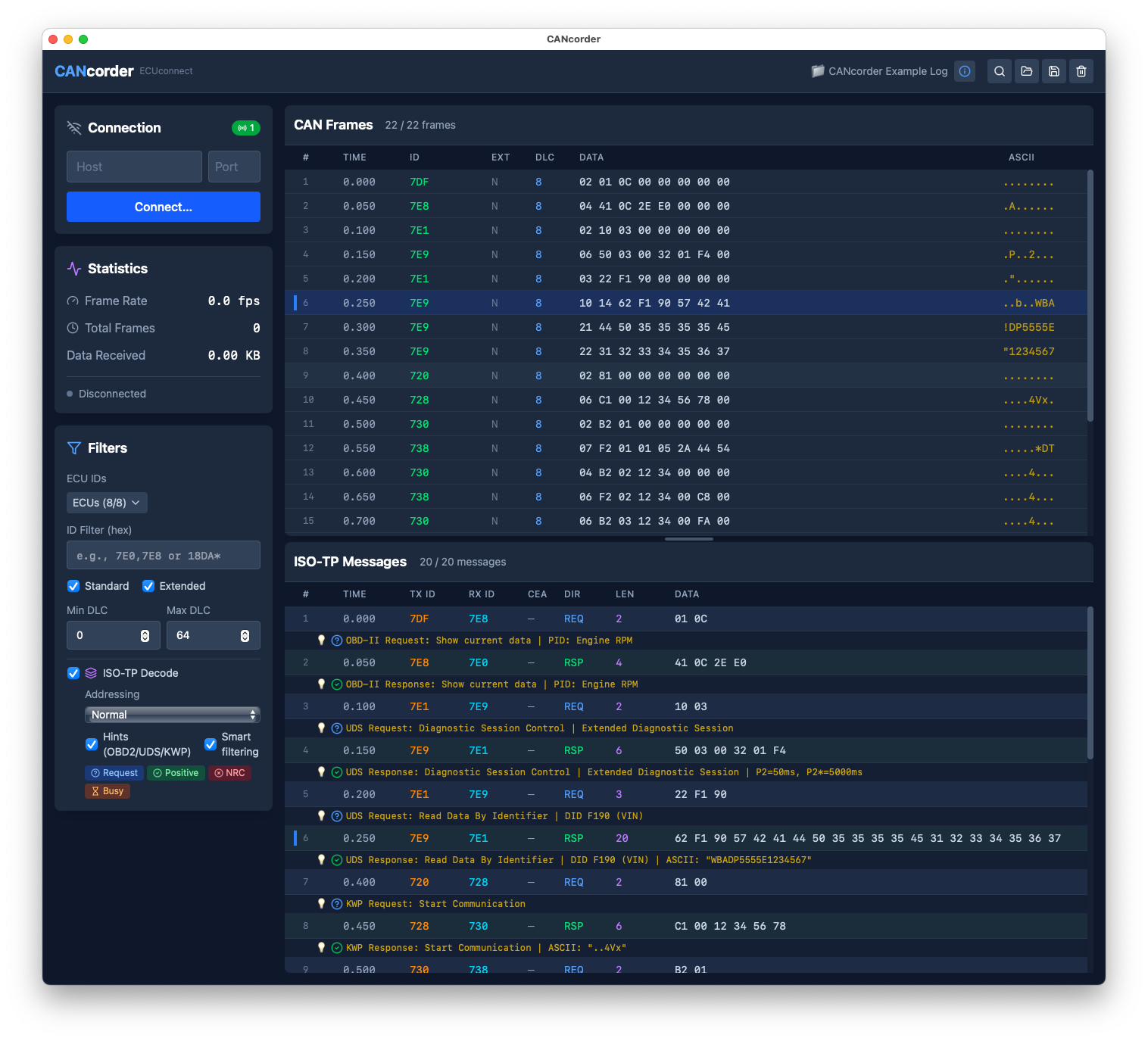
At a glance
| Capture | Classic CAN and CAN FD, 11-bit and 29-bit IDs; K-Line with compatible adapters |
| Reassembly and decoding | ISO-TP, ISO-TP CEA, SAE TP2.0, K-Line, J1939, CCP and XCP |
| Diagnostic hints | UDS, OBD-II and KWP2000 service names, identifiers, values and negative responses |
| Custom decoding | JSON plugins for vendor-specific protocols; an editable J1939 parameter catalog |
| Sending | Individual frames, repeats, ID sweeps and custom sequences with rate control |
| Import | CL1000, candump, ECUconnect and PCAPNG |
| Export | CL1000 logs and TransferData binaries; text logs and PDF reports in the macOS 1.3 release |
| Platforms | macOS and Windows downloads below; Linux packages on request |
| License | 10-day trial; perpetual license with updates within the major version |
Follow a request through to its reply
The frame and message views work together: click a reassembled message to highlight its frames, or select a frame to find the message it belongs to. Filter by arbitration ID, DLC or frame type, search for a byte pattern, and shift-click two frames to measure the time between them.
Protocol hints show service names, decoded fields and raw bytes. They help with questions such as which DID was requested, what a PID value means, or why an ECU rejected a request. KWP2000 matching is best-effort; vendor-specific services may need a plugin before the bytes mean much to CANcorder.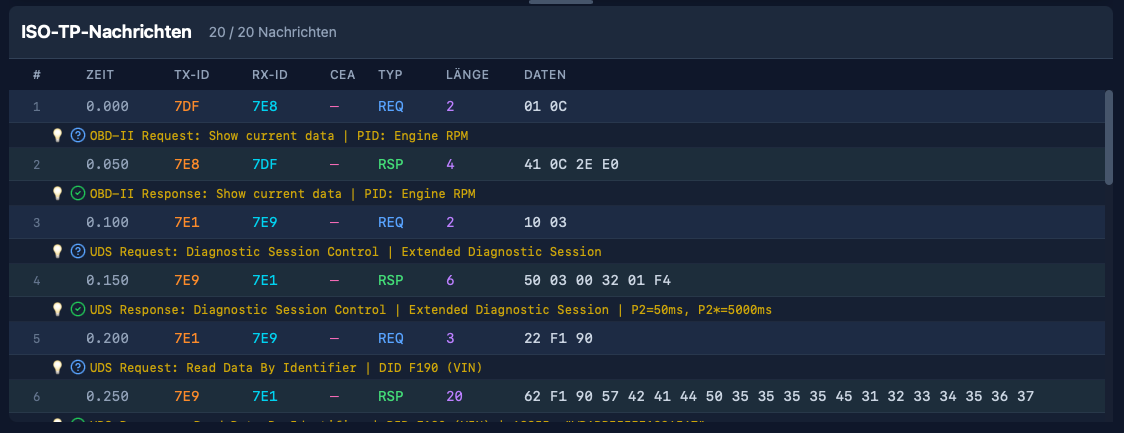
Add the bits your ECU speaks
JSON plugins describe vendor-specific services, including protocols wrapped inside another service. They support conversation tracking and field formats such as hex, decimal, ASCII and version numbers. The included VehiCAL plugin provides an example to start from.
For J1939, a dashboard groups decoded parameters by source ECU and plots their recent history. The parameter catalog lives in J1939db.json, so you can add fields for the equipment you’re working with.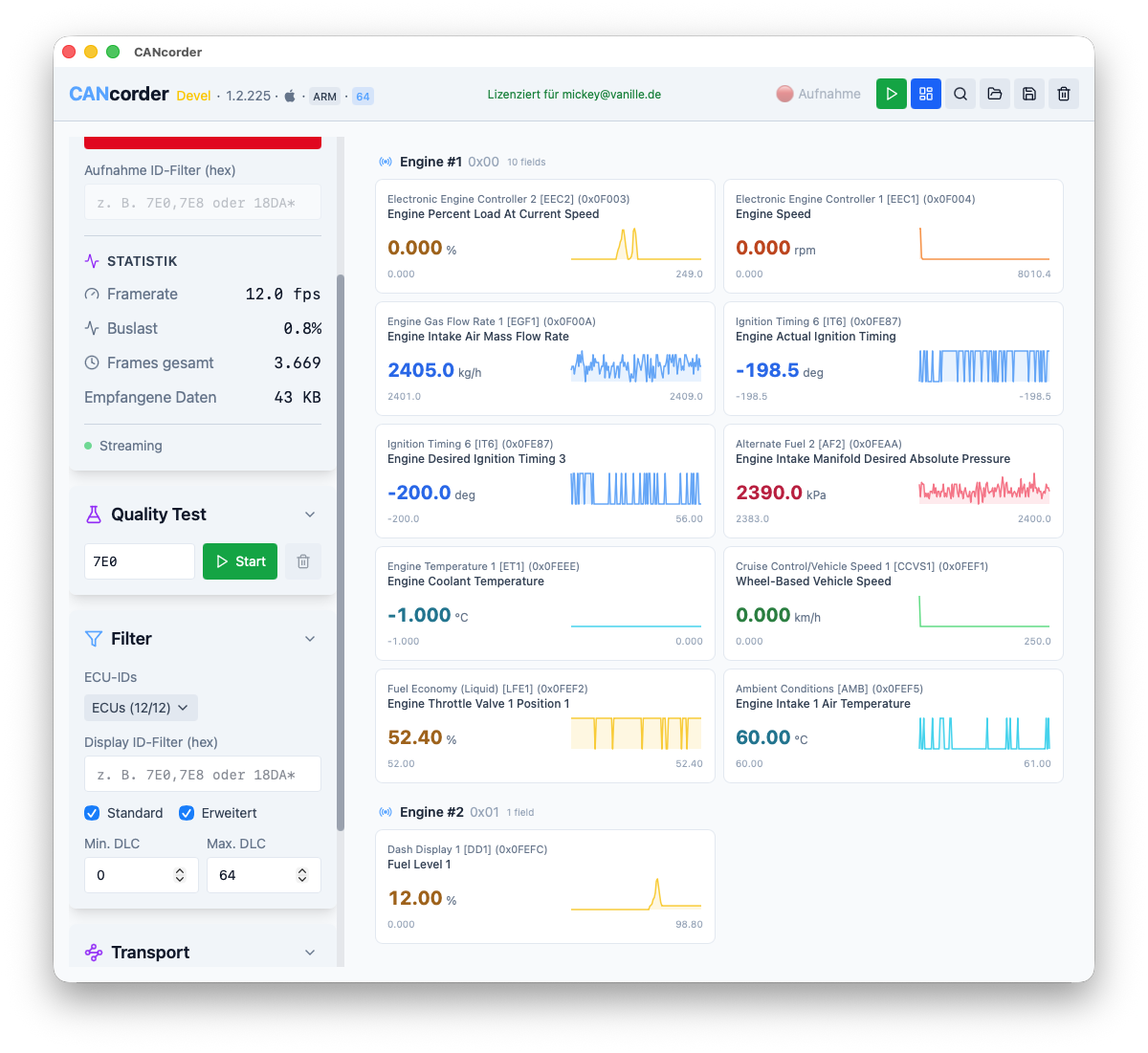
Send frames and check the link
You can send a single frame, repeat it at a chosen rate, step through an ID range or run a list of frames in a loop. The send history keeps recent entries around for the next attempt.
The Quality Test panel uses a dedicated test protocol to measure packet loss, duplicates, ordering, latency and jitter. It’s useful for checking adapters, cables and bus configurations; results can be exported as CSV or JSON.
Bring a log, take a report
Drop a CL1000, candump, ECUconnect or PCAPNG file into CANcorder to inspect it offline. The format is detected automatically. You can export a CL1000 log or extract the binary payload from TransferData messages.
The macOS 1.3 release also exports text logs and searchable PDF reports. A report can contain the current filtered view or the complete log, with full payloads and per-ECU response times, jitter and P95. English and German labels are available. These additions aren’t in the current Windows 1.2 download yet.
Connect your hardware
- macOS: native USB support for PEAK PCAN-USB FD and PCAN-USB Pro FD, gs_usb adapters (including CANable, candleLight and Innomaker), Tactrix OpenPort 2.0 and Rusoku TouCAN. No kernel extensions are needed. The 1.3 release also captures K-Line through OpenPort 2.0.
- Windows: J2534 PassThru, with support for both 32-bit and 64-bit adapter DLLs. K-Line (ISO 9141 / ISO 14230) is available through adapters that support it, including session initialization, keepalive and raw byte capture.
- Linux: SocketCAN, including virtual interfaces such as
vcan0.
TCP connections and Zeroconf discovery are available on all three platforms. CAN FD needs a suitable adapter and configuration. If you’re unsure about your setup, send me the adapter details.
Try CANcorder
The 10-day trial includes all features and doesn’t require registration. You can also try it with a sample log before connecting any hardware.
Download CANcorder 1.3.843 for macOS
Intel and Apple Silicon · signed and notarized Universal app
Download CANcorder 1.2.293 for Windows
64-bit installer · includes 32-bit and 64-bit J2534 bridges
On macOS, extract the ZIP and drag CANcorder.app to Applications. On Windows, run the installer; it installs for your user without admin rights. Linux AppImage, .deb and .rpm packages are available on request.
The manual covers the workflows and settings in more detail: English manual (PDF) · Deutsches Handbuch (PDF). Both also ship with the current macOS app for offline reading.
Buy a license
A perpetual license covers all features on all platforms, with free updates within the major version. The launch price is €79 for the first 100 customers; the regular price is €99. There’s no subscription.
Buy CANcorder in the Vanille store. The checkout shows the final amount, including applicable tax, before payment. See the Terms of Sale, App Privacy Policy and Legal Notice for the details.
Who builds this
I’m Michael Lauer, the developer of CANcorder and ECUmulator Studio. Questions, feature requests and bug reports come directly to me. If a trace doesn’t make sense or your adapter won’t cooperate, drop me a line — tell me what you’re using and what you expected to happen.